
Which Music Software Programs Fit Your Needs?
Want to find out how to listen to all your favorite songs whenever you want? If so, you’ll want to learn more about music software and how you can install some programs onto your computer. Here are some descriptions of some basic music software programs you will want to learn more about:
CD Ripper
A CD Ripper program allows you to convert tracks from a compact disc to your mp3 player, or onto your computer. You can make your own mp3s from audio CDs, so that you make your own song selections. You can also convert batches of WAV decoded files at a time to mp3 files on the CD Ripper, and if you want to download this program onto your computer, you’ll need to have Microsoft Windows 95, 98, or 2000, and a CD-ROM drive. For most CD Ripper programs, you can try a free download first before purchasing the product.
Audio Editors
If you are into recording and creating your own music, an audio editor program may be a good investment. An audio editor program allows you to save your own studio sessions or songs to modify later. Most include a metronome (to keep music and vocals in rhythm) and an audio mixer. The mixer allows you to adjust different music track settings like tone, pitch or volume. On some programs you can even ‘beat match’ between tracks, thus allowing for a smoother transition between songs. One audio editing program you may want to try is Blaze Media Pro, a program which is also a CD burner and converter. And, if you’re recording a large file, most audio editors will be able to support your files with no problem at all. If you are using a multi-track editor, one thing to keep in mind is whether your sound card and memory capabilities are up to the task of handling large volumes of songs,.
Although most audio editor programs are commercial (and not freeware) and have a standard price tag, you can receive free trials for audio editor programs as well. Be aware of the memory and sound card requirements as designated by the company who produces the software. Depending on who makes the software, it may be available for Windows XP, Windows 98, ME, 2000 and even Mac OSX.
Free Music Utilities
MediaMonkey 2.5.5 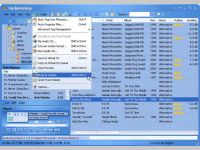
An easy-to-use music manager/jukebox for serious music collectors. It catalogs CDs, OGG, WMA, APE, FLAC, WAV and MP3 files and rips CDs, converts and levels audio, tags & organizes files and playlists, and syncs with iPods, MP3 players and phones.
MediaMonkey is an easy-to-use music manager and media jukebox for serious music collectors. It catalogs your CDs, OGG, WMA, MPC, FLAC, APE, WAV and MP3 audio files. It looks up missing Album Art and track information via Freedb and the web, and includes an intelligent tag editor and an automated file and directory renamer to organize your music library. It includes a CD ripper, CD/DVD Burner, and audio converter for saving music, and manual or automated playlist editors for creating music mixes. Its player automatically adjusts volume levels so that you don't have continually fiddle with the volume control and supports hundreds of Winamp plug-ins and visualizations along with a Party Mode for use in public places; or if you prefer, it can use Winamp as the default player. It also includes portable audio device synchronization that allows you to quickly synch tracks and playlists with iPods, MP3 phones, and other MP3 players.
Visit homepage of MediaMonkey
Download MediaMonkey 2.5.5
Mobile Media Center Express 1.0
View, play and download all your PC media on your mobile phone in real-time
View, play and download all your PC media on your mobile phone in real-time, conversion is done automatically for you using the screensize and audio/video capabilities of your cellphone. For example, click on a mp3 file on your PC and have it downloaded as a ringtone on your mobile phone. View your PC's content on your mobile phone and view tumbnails of pictures and videos. Supports almost all cellphones.
Visit homepage of Mobile Media Center Express
Download Mobile Media Center Express 1.0
NotifyTunes 1.1 
NotifyTunes is a small utility that interacts with iTunes for Windows, to display track information even if iTunes is currently not the active application or is minimised to the taskbar.
NotifyTunes is a small utility that interacts with iTunes for Windows, to display track information even if iTunes is currently not the active application or is minimised to the taskbar. The application detects when a track change occurs within iTunes and displays a pop-up window containing the current track details.
Track Information Display - NotifyTunes displays a compact pop-up window (see screenshot), whenever iTunes changes the currently playing audio track. This window displays the current track information - Title, Artist, Album, Year, Rating and Cover Art (if available). It even displays the currently active playlist.
NotifyTunes in SystemTray
Discrete - NotifyTunes resides in the Notification Area on the Task Bar (System Tray), and will happily stay there even if iTunes is not currently running. When activated, the track information window is displayed in a configurable location on screen - informing you of the current track whilst allowing you to get on with using your PC.
If you miss the pop-up window or forget the track details - don't worry. You can double click on the NotifyTunes icon, or right click it and select 'Now Playing...' from the menu to force the pop-up window to display the current track information again.
Automatic Update Check - NotifyTunes will periodically check the web for newer versions of itself. The System Tray icon will flash yellow when an update is available. This feature can be turned off if not required.
Track Ratings - NotifyTunes now lets you change the star rating of the current track without having to directly interact with iTunes.
Visit homepage of NotifyTunes
Download NotifyTunes 1.1
Thursday, November 29, 2007
Music software 101
Subscribe to:
Post Comments (Atom)
0 Comments:
Post a Comment